 Bird Feeder Camera
The cost of backyard birdwatching
Best bird feeder camera without a subscription: what stays free?
The right choice depends on what you want to keep free: bird identification, saved recordings or simply watching live.
For included AI, compare the Birdfy Feeder's lifetime-AI edition. If local recordings matter, consider the Kiwibit BW511 Lifetime AI kit, but confirm its cloud allowance. The Birdbuddy Pro Solar also has useful free-account features, with some automated extras reserved for memberships. The table below separates those benefits.
Compare the exact edition
Three ways to avoid a monthly bill.
“No subscription” does not mean every feature is included. These findings apply to the editions and sources linked below.
Scroll sideways to compare all columns
| Camera / edition | AI without recurring payment | Recording & storage | Before ordering |
|---|---|---|---|
| Birdfy Feeder AI Lifetime Free | Included lifetime bird identification. | Cloud clips retained for 30 days; no microSD recording/playback on this model. | Choose the correct AI edition. Longer clips and extra archive space are separate services. Sources 1–2 ↓ |
| Kiwibit BW511 Lifetime AI solar kit | Lifetime FeatherPal advertised for this bundle. | microSD supported, up to 512 GB; card sold separately. Cloud allowance needs confirmation. | The product specifications and FAQ give different free cloud-retention periods. Sources 3–4 ↓ |
| Birdbuddy Pro Solar Free app account | Manual AI+ analysis is included; automatic AI+ analysis is a premium feature. | Automatic photos/videos, personal live view and media downloads are included. | Choose the device-only option if you do not want a membership trial. Local-card support is not established by the cited plan. Sources 5–6 ↓ |
First, separate the features
What does a subscription-free bird feeder camera include?
Make four separate checks: live viewing, automatic recording, species identification and long-term storage. A free app download tells you little about the cost of those services. A device can be useful without a paid plan while still offering upgrades you may care about.
Decide which feature is essential to you before comparing prices. If you enjoy identifying birds yourself, a paid AI tier may add little value. If your goal is a named record of every visitor, an identification allowance or a manual step could change how you use the camera.
Also distinguish a rolling cloud history from an archive. A retained clip eventually expires unless you download or otherwise save it. Ask what happens to recordings after a trial ends, and how you would keep a favorite visit for next year.
For included AI identification
Birdfy Feeder: choose the lifetime-AI edition.
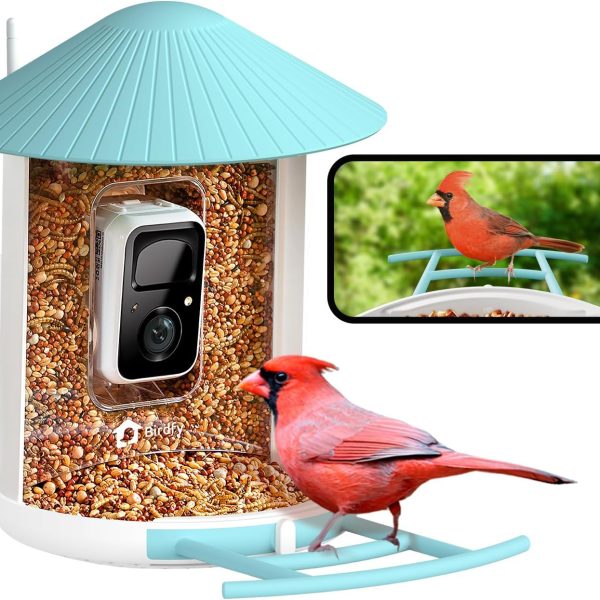
Birdfy sells this Feeder with different AI options. Its product page distinguishes lifetime AI from a subscription-based edition. It also lists free live viewing and recorded clips with a 30-day cloud window. The cited Feeder does not support microSD recording or playback, even though its camera has a card slot.
There is also a newer membership system. Birdfy's membership documentation lists 10 AI recognitions per day, clips up to 20 seconds, 30-day retention and 5 GB of Collection space at the free level. It says existing lifetime-AI benefits continue. Treat the daily free allowance and a purchased lifetime entitlement as different benefits.
Choose it if: included identification matters more to you than recording to a card. Verify the selected edition at checkout and check the account's active benefits after pairing. For other models, start with our Birdfy camera collection; do not assume the same storage hardware across the range.
For recordings on a memory card
Kiwibit BW511: verify the lifetime bundle and cloud terms.
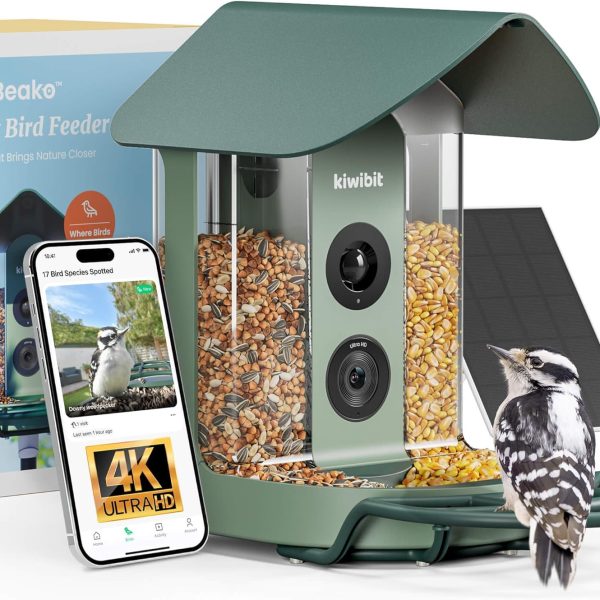
The BW511 Lifetime AI solar kit advertises included FeatherPal bird recognition and local recording on a microSD card up to 512 GB, purchased separately. That makes it a candidate if keeping clips on a card is a requirement.
A detail to confirm with Kiwibit
The same product page lists up to 60 days of free cloud history in its specifications, but its FAQ describes a one-day rolling history. The general subscription guide places extended history and AI under Plus. These pages do not establish one consistent entitlement for every bundle.
Choose it if: local recordings are important and the seller confirms the included services for your SKU. Request written confirmation of the cloud period and lifetime-AI activation before paying. Keep that confirmation with your order; this comparison does not promise either cloud period.
For birdwatching on a free account
Birdbuddy Pro Solar: understand the free and premium boundary.
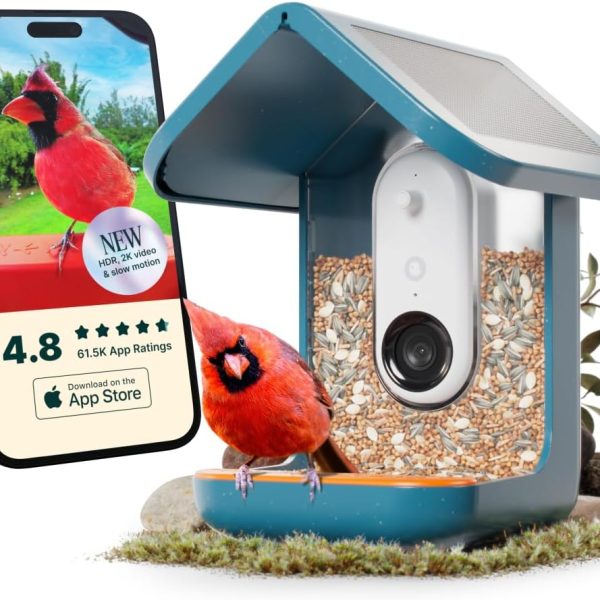
Birdbuddy's plan comparison includes automatic photos/videos, personal live viewing, downloads and manual AI+ analysis on a free account. Automatic AI+ analysis and guest live-stream access are listed as premium benefits. Free personal viewing and free guest viewing are therefore different promises.
The Pro Solar listing offers a device-only choice alongside a membership-trial bundle. Select the former if you want to avoid starting a recurring plan. We have not established local-card support from these documents; do not choose it for microSD recording without confirmation.
Choose it if: the free-account experience meets your needs and manually requesting advanced identification is acceptable. Check guest permissions if you are buying the feeder for someone else. The free and premium distinction matters more here than the word “AI” on the product listing.
Make the final comparison
Five checks before you pay.
- Record the exact model and edition. Save the SKU and bundle name, not just the brand. A different AI package can change the ongoing cost without changing the feeder's appearance.
- Price the features you will actually use. Add the device, necessary accessories, memory card and any chosen plan over your intended ownership period. Include a one-time AI upgrade if it is not part of the purchase.
- Ask what survives the trial. Confirm recordings, downloads, identification and guest access individually. Inspect the checkout for an optional trial rather than assuming the hardware purchase is the only selection.
- Verify your recording workflow. Check card requirements, download access, cloud expiry and how to export a clip. Included AI is not the same thing as unlimited permanent storage.
- Check setup at the feeder location. Confirm the model's app, Wi-Fi bands and charging requirements. A local card or included solar panel does not by itself establish offline app access.
Take the questions shopping.
Use a short checklist to record each seller's answers and compare the same features.
Download the checklistFor cameras grouped by companion app, explore our VicoHome and UBox collections. Those directories help identify candidates; this guide does not verify free-AI terms for every device in them.
Common questions
Before you choose.
What is the best bird feeder camera without a subscription?
Choose by the feature you need free. Compare the specific Birdfy lifetime-AI edition for included identification, the Kiwibit lifetime kit for local-card recording, and Birdbuddy's free account for its included app features. The matrix gives the limitations. These are documentation-based choices, not measured performance winners.
Does no subscription mean the camera works offline?
No. A subscription is a payment arrangement; offline operation is a separate capability. Confirm what happens without internet access, including recording, live view, notifications and AI. A memory-card slot alone does not establish that all of those features work offline.
Does lifetime AI include lifetime cloud storage?
Do not assume so. Verify identification, rolling history and permanent archive allowances separately. A lifetime entitlement for recognizing birds does not establish that every clip can stay in the cloud forever.
Should I buy a solar-powered model to avoid extra costs?
Check the solar accessory, feeder placement and charging instructions alongside the plan terms. Solar charging and subscription fees address different costs. Compare the complete package and the features you want, rather than treating solar power as proof of lower ownership cost.
How this guide was made
Sources, scope & update date.
Bird Feeder Camera compared the manufacturer product and support pages below on October 17, 2026. Recommendations are our interpretation of those documented features. We did not test image quality, battery life, AI accuracy or reliability, and we do not assign performance scores. Sale prices are omitted because they change frequently. Recheck the linked terms for your region and exact edition.
- Birdfy Feeder product page — edition choices, cloud window and card support.
- Birdfy Membership — free-tier allowances and existing lifetime benefits.
- Kiwibit BW511 Lifetime AI kit — bundle, local card capacity and conflicting cloud descriptions.
- Kiwibit subscription comparison — standard free and paid features.
- Birdbuddy Membership — personal/guest access and manual/automatic AI+.
- Birdbuddy Pro Solar product page — device-only and trial-bundle choices.
Ready to shortlist a camera? Keep your required free features in view as you browse the camera collections, or return to the general buying checklist.